Smart Transit, Digital Signage, Driver Safety & Anti-Theft AI
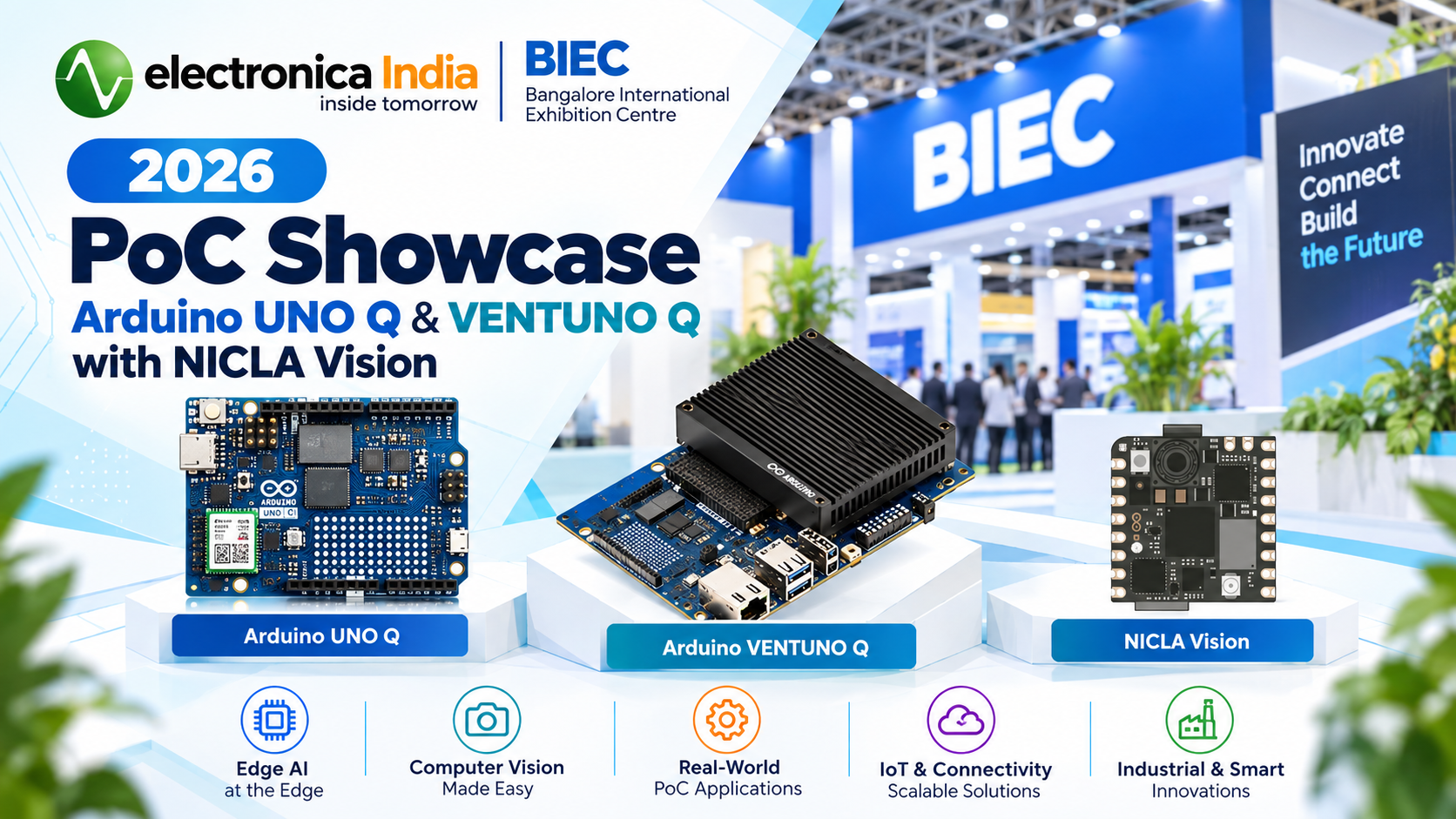
Electronica India 2026 at BIEC, Bengaluru, gave us the perfect stage to show what the Arduino UNO Q and the Arduino Nicla Vision can really do once you put them to work on real problems. Instead of a static component display, our booth ran four fully working proof-of-concept (POC) builds side by side — a passenger information system for public transport, a touchscreen kiosk running our own website, an AI-based driver drowsiness monitor, and a wireless anti-theft sentinel for display cases.
1. Why We Brought These 4 Builds to BIEC Electronica
Electronica India is where design engineers, procurement teams, and OEMs come to see what's actually possible with today's components — not just read a datasheet. So rather than only exhibiting boards and modules on a table, we wanted visitors to walk up, tap a screen, watch a dashboard react, and see a board defend an object in real time.
All four POCs share a common thread: a single embedded board doing the job of what used to take several separate devices — display, controller, connectivity, and sensing all on one PCB. Two boards did the heavy lifting across the booth:
- Arduino UNO Q — a dual-processor board pairing a Qualcomm Dragonwing QRB2210 Linux application processor with an STM32U585 real-time microcontroller, plus Wi-Fi and Bluetooth. It ran the bus announcement system, the touchscreen kiosk, and the DriveSafe PRO drowsiness monitor.
- Arduino Nicla Vision — a 22.86 × 22.86 mm board built around an STM32H747 dual-core MCU, with an onboard camera, 6-axis IMU, Time-of-Flight sensor, microphone, Wi-Fi and Bluetooth LE. It powered the wireless anti-theft demo.
2. POC 1: Smart Bus & Metro Passenger Announcement System
Modern buses and metro systems no longer just show a destination board — they combine visual information, voice announcements, route updates, and even digital advertising. Our first POC recreated exactly that: a passenger information system built around the Arduino UNO Q, a custom 10-inch HMI display, and a Bluetooth speaker.
Why the UNO Q?
The UNO Q's dual-processor design was the deciding factor: the Qualcomm Dragonwing QRB2210 application processor handles the higher-level display and route logic, while the onboard STM32U585 microcontroller stays free for real-time, deterministic tasks. Built-in Wi-Fi and Bluetooth made it straightforward to drive both the HMI screen and a wireless Bluetooth speaker from one board.
Figure: The UNO Q on our custom carrier board, mounted inside the JMO Smart Panel Q10 display
Simulating a real journey
For the demo, we simulated the Bengaluru Purple Line — Baiyappanahalli → Swami Vivekananda Road → Indiranagar → Halasuru → Trinity → Mahatma Gandhi Road → Cubbon Park → Kempegowda Majestic — advancing to the next station roughly every 30 seconds and reversing direction at the terminus. Visual and audio cues stayed in sync throughout the ride:
- “Doors closing. Please stand clear of the doors.” — as the vehicle departs
- “The next station is Indiranagar. Doors will open on the left.” — approaching a station
- “We are now arriving at Indiranagar. Please mind the gap between the train and the platform.” — on arrival
- “Doors opening.” — once stopped
Built-in digital advertising
We also used the same screen to sell the idea of monetised transit displays: every so often, the passenger-information screen switches to a five-second advertising slot, with a matching promotional audio cue over the Bluetooth speaker, before automatically returning to the live route view.
Keeping the Bluetooth speaker connected on boot
A trade-show demo can't afford to sit there with no audio because the speaker didn't reconnect after power-up. We solved that with a small systemd service that waits for the Bluetooth adapter, retries the pairing, and points PulseAudio/PipeWire at the speaker once it actually appears — all before the main announcement service starts:
The service is chained with
Before=metro-av.service
so the speaker is guaranteed to be ready before the announcement engine ever tries to play audio on boot — no manual re-pairing needed between demo sessions.
Today the system advances on a 30-second timer to simulate movement, but the same event structure — Vehicle Location → Route → Current Station → Next Station → Display + Audio — is exactly what would sit behind a real GPS/GNSS feed or vehicle telemetry in production.
3. POC 2: Touchscreen Kiosk & Digital Signage on Chromium
Right next to the transit demo, visitors could walk up to a touchscreen kiosk running our own industechno.com storefront — along with a couple of live third-party dashboards — with no desktop, no login prompt, and no way to accidentally land on a file manager. It booted straight into a fullscreen browser with touch-friendly navigation between a handful of pre-selected sites.
Why the UNO Q?
The UNO Q runs a genuine Debian (Trixie) desktop with XFCE, has HDMI output, and its onboard Adreno GPU is enough to drive Chromium comfortably — all in a small, low-power, Arduino-branded footprint that can sit behind a screen indefinitely without the clutter of a full general-purpose PC. When the show is over, the same board is just as happy going back to other Arduino/embedded work.
What the finished kiosk does
- Automatically logs in and launches Chromium in fullscreen kiosk mode after power-on
- Opens a predefined website with a touchscreen navigation bar for switching between sites
- Provides Back and Refresh controls, and auto-hides the nav bar after a few seconds of inactivity
- Automatically restarts Chromium if it ever closes unexpectedly
- Runs with GPU compositing disabled for rock-solid stability during long show-floor hours
Step 1 — Set up the kiosk folder
Every kiosk-related file — the startup script and Chromium's browser profile — lives in one place:
Step 2 — A Chromium extension for the navigation bar
Rather than baking navigation into the website itself, the nav bar is a small Chromium extension — it works identically no matter which site is currently loaded, and the site list is a single array that's easy to re-brand:
Step 3 — The self-healing startup script
A short
while true
loop wraps the Chromium launch, so if the browser ever crashes or is closed, it relaunches automatically after five seconds — no one at the booth needs to notice or intervene:
Add that script to XFCE's autostart folder alongside LightDM autologin, and the boot sequence becomes fully unattended: Power ON → Autologin → XFCE → Kiosk script → Chromium fullscreen → industechno.com — no keyboard, mouse, or terminal required once it's deployed.
4. POC 3: DriveSafe PRO — AI Driver Drowsiness Monitor
Driver fatigue is one of the leading causes of road accidents worldwide, and it gives almost no warning — a driver can look perfectly normal seconds before their eyes close. Most commercial systems rely on a single signal, eyes-closed duration, which misses a driver slumped after fainting, one staring out the side window, or one with both hands off the wheel. DriveSafe PRO was our answer: a driver-monitoring dashboard running entirely on the Arduino UNO Q with nothing but a USB webcam.
Why the UNO Q?
Running face-mesh inference and hand tracking on every frame in real time needs a full OS-level ecosystem — Python, OpenCV, MediaPipe, and a proper V4L2 camera stack — which is exactly what the UNO Q's Linux-capable Qualcomm Dragonwing processor provides. The onboard microcontroller keeps the door open for the next stage of this build: driving a real buzzer or a physical speed governor on a deterministic real-time loop that's never at the mercy of the Linux scheduler or a webcam frame stall.
A rolling safety score, not a single flag
Instead of one drowsy/not-drowsy flag, DriveSafe PRO computes a continuous Driver Safety Score out of 100, built from eye closure (EAR), PERCLOS, yawning (MAR), head pose, gaze direction, posture, and hands-on-wheel detection — and every penalty is forgiven the moment the driver is provably alert again. That score is tied directly to a simulated vehicle speed limit, so the permitted speed itself drops as confidence drops.
5. POC 4: Antique Guard — Wireless Anti-Theft Sentinel
Museums, galleries, and shops with valuable display pieces all share the same problem: the object is small, the case is quiet, and by the time someone notices it's gone, so is the thief. Our fourth POC, Antique Guard, asks whether a board the size of a postage stamp can watch, listen, feel, and report — entirely on its own, with no cable attached.
Why the Nicla Vision?
The Nicla Vision packs almost everything an anti-theft monitor needs onto one tiny board: an STM32H747 dual-core MCU, a 2 MP colour camera, a 6-axis IMU, a Time-of-Flight distance sensor, a MEMS microphone, and Wi-Fi and Bluetooth LE — with a LiPo battery connector, charger, and fuel gauge built in. No wiring between separate modules to loosen or fail, and it runs for hours on a small 3.7 V 200 mAh cell.
Everything over Wi-Fi — no cable required
Once running, the board joins the network and serves its own dashboard, video stream, and control endpoints directly:
Alerts also go out as a UDP broadcast on port 9999, so a PC, Raspberry Pi, or phone app on the same network can listen for alarms without polling the board — and if the configured Wi-Fi network isn't available, the board falls back to its own hotspot so the dashboard is still reachable from a phone right next to the case.
6. Side-by-Side: Which Board Powers What
| POC | Board | Key Sensors / I/O | Connectivity | Real-World Fit |
|---|---|---|---|---|
| Bus & Metro Announcement System | Arduino UNO Q | 10" HMI display, Bluetooth speaker | Wi-Fi, Bluetooth | Public transit passenger information + advertising |
| Touchscreen Kiosk | Arduino UNO Q | HDMI display, touchscreen, Adreno GPU | Wi-Fi | Digital signage, exhibition displays, interactive kiosks |
| DriveSafe PRO | Arduino UNO Q | USB webcam, hand/face landmark AI | Wi-Fi, USB | Fleet safety, driver fatigue intervention |
| Antique Guard | Arduino Nicla Vision | Camera, IMU, ToF, MEMS mic, LiPo | Wi-Fi, Bluetooth LE | Museum, gallery & retail anti-theft monitoring |
7. From Showcase to Shelf — Talk to Us
Every board, sensor, display panel, and connector used across these four builds is something we stock and support at Indus Technologies. Whether you want to replicate one of these POCs, adapt it for your own product, or you're simply evaluating the Arduino UNO Q or Arduino Nicla Vision for a new design, our embedded team can help you go from a demo like this to a deployable product.
8. FAQ
Q1: Can these POCs be adapted for a real production deployment?
Yes. Each build was deliberately designed so the "simulated" parts — a timer standing in for GPS, or a virtual speedometer standing in for a real speed governor — can be swapped for real inputs without changing the underlying architecture.
Q2: Why did three of the four POCs use the Arduino UNO Q instead of a Raspberry Pi or similar SBC?
The UNO Q's combination of a Linux application processor and a real-time STM32 microcontroller on one board removes the need for a separate microcontroller wired alongside a single-board computer — useful anywhere a project needs both OS-level software (a browser, Python/OpenCV, a desktop) and deterministic, real-time I/O in the same product.
Q3: Is the Nicla Vision powerful enough for continuous, always-on monitoring?
For a task like Antique Guard, yes — the workload is lightweight sensor fusion rather than heavy video inference, so a small LiPo cell comfortably runs the board, camera, IMU, ToF sensor, and Wi-Fi radio for extended periods between charges.
Q4: Where can I get the components used in these builds?
All of them, including the Arduino UNO Q, Arduino Nicla Vision, displays, sensors, and connectors, are available through Indus Technologies. You can browse our full catalog or submit a bulk quote request for a specific bill of materials.