Arduino UNO Q: Bridging Linux Computing and Real-Time Control
The Arduino UNO series has long been a favourite among hobbyists, students, and professionals for building embedded systems and Internet of Things (IoT) projects. Over the years, Arduino boards have evolved from simple microcontrollers to powerful platforms that can handle complex applications in various fields.
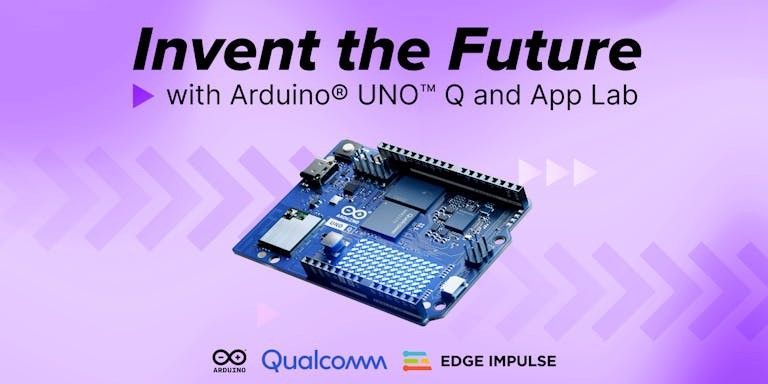
Arduino UNO Q represents a significant leap in this evolution. Unlike traditional Arduino boards that rely solely on a microcontroller, the UNO Q combines a powerful Linux-based processor with a real-time microcontroller, thereby offering the best of both worlds. This hybrid architecture enables developers to build projects involving artificial intelligence, computer vision, robotics, industrial automation, and edge computing on a single board.
In this blog, we will explore the Arduino UNO Q and examine its key specifications.
1 What is Arduino UNO Q?
The Arduino UNO Q is a high-performance development board designed to bridge the gap between traditional microcontroller-based systems and modern embedded Linux platforms.
At its core, the board contains two processing units:
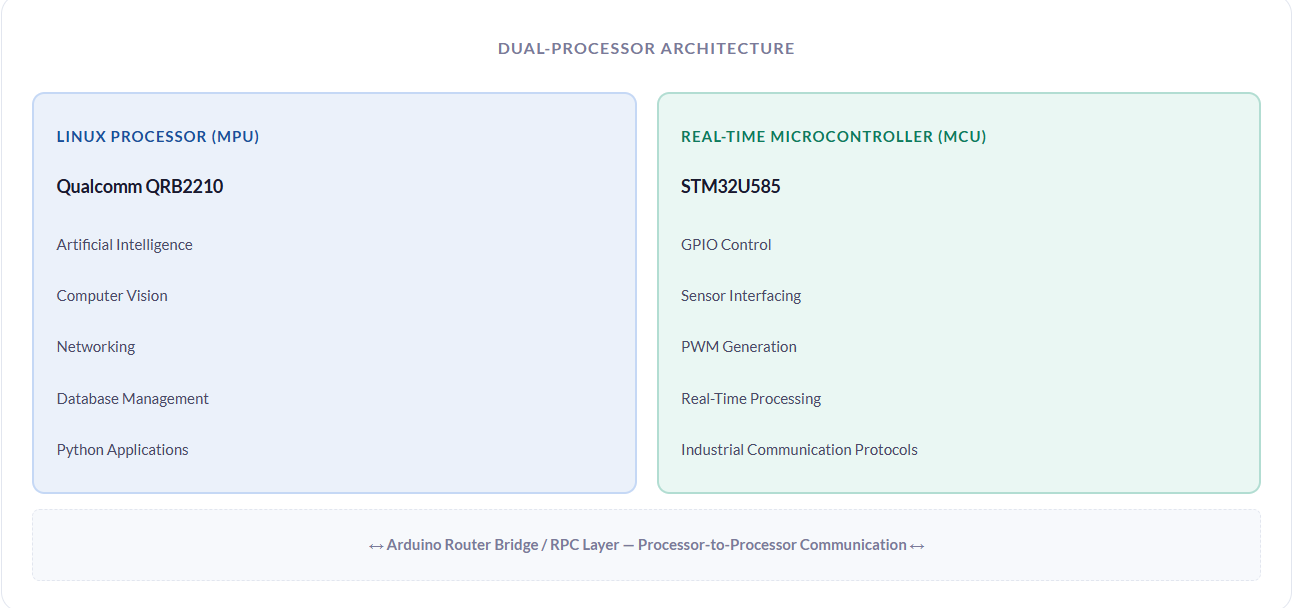
This architecture allows developers to perform advanced computing tasks while maintaining deterministic real-time control.
2 Key Specifications
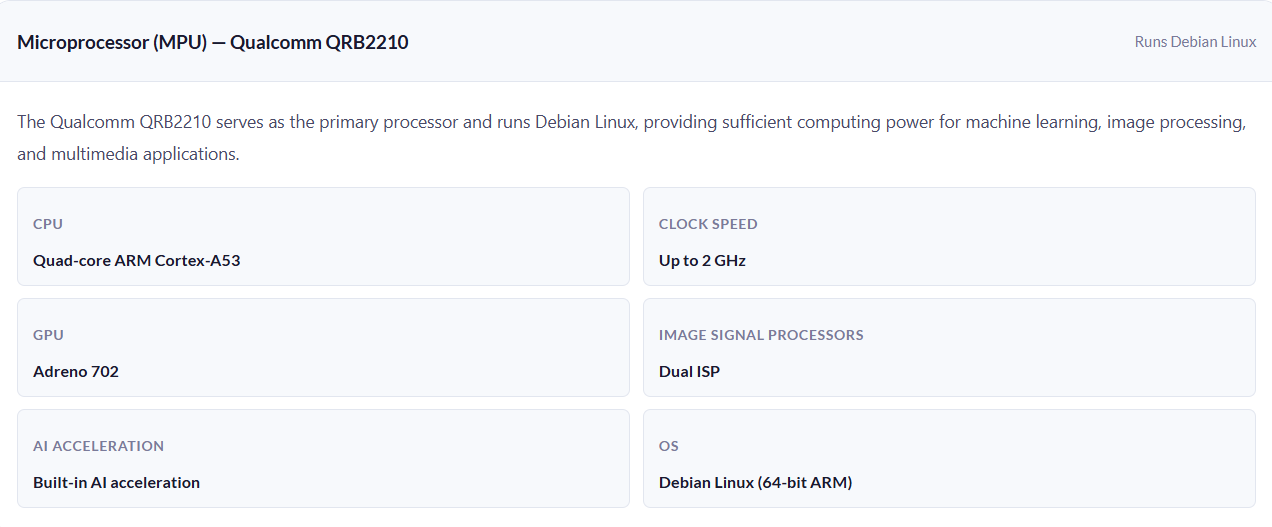
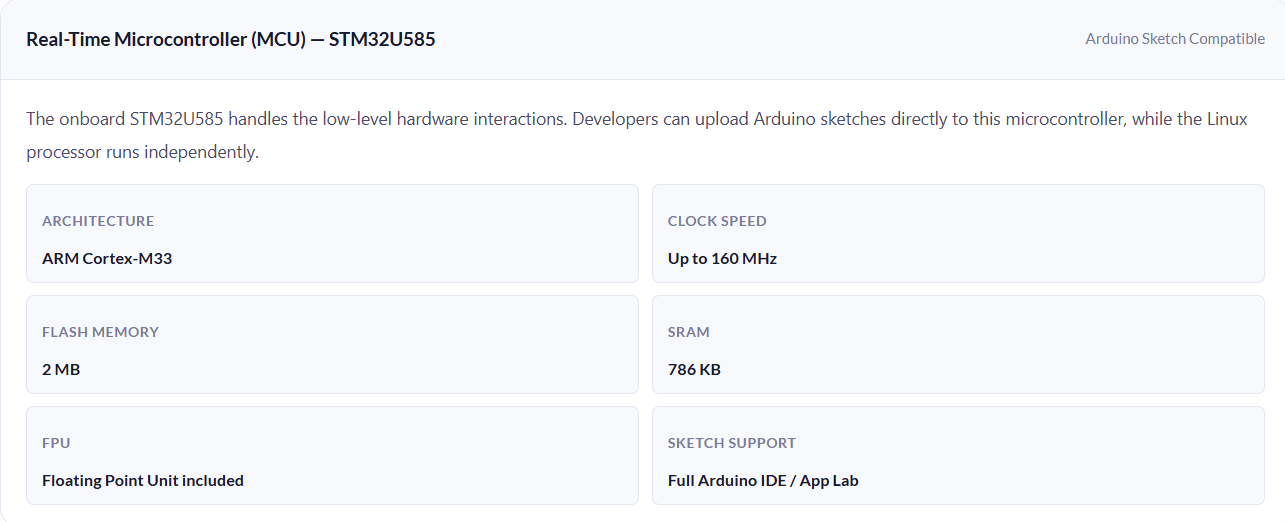
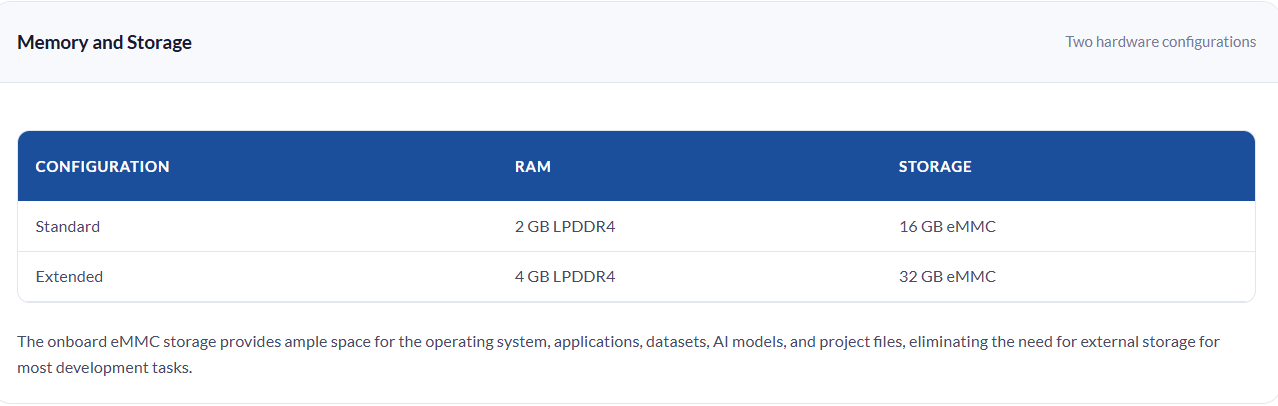
⚙️Industrial Interfaces
| Interface | Purpose |
|---|---|
| GPIO | General-purpose digital input/output |
| UART | Serial communication |
| SPI | High-speed peripheral communication |
| I²C | Two-wire sensor and device communication |
| I3C | Advanced high-speed device communication |
| CAN | Industrial and automotive networking |
| PWM | Motor control and signal generation |
| ADC | Analog signal acquisition |
| JTAG | Debugging and programming |
These interfaces allow seamless integration with sensors, actuators, and industrial equipment.
Additional Technical Specifications
| Category | Specification |
|---|---|
| Operating System | Debian Linux |
| Linux Processor Architecture | 64-bit ARM |
| GPU | Adreno 702 |
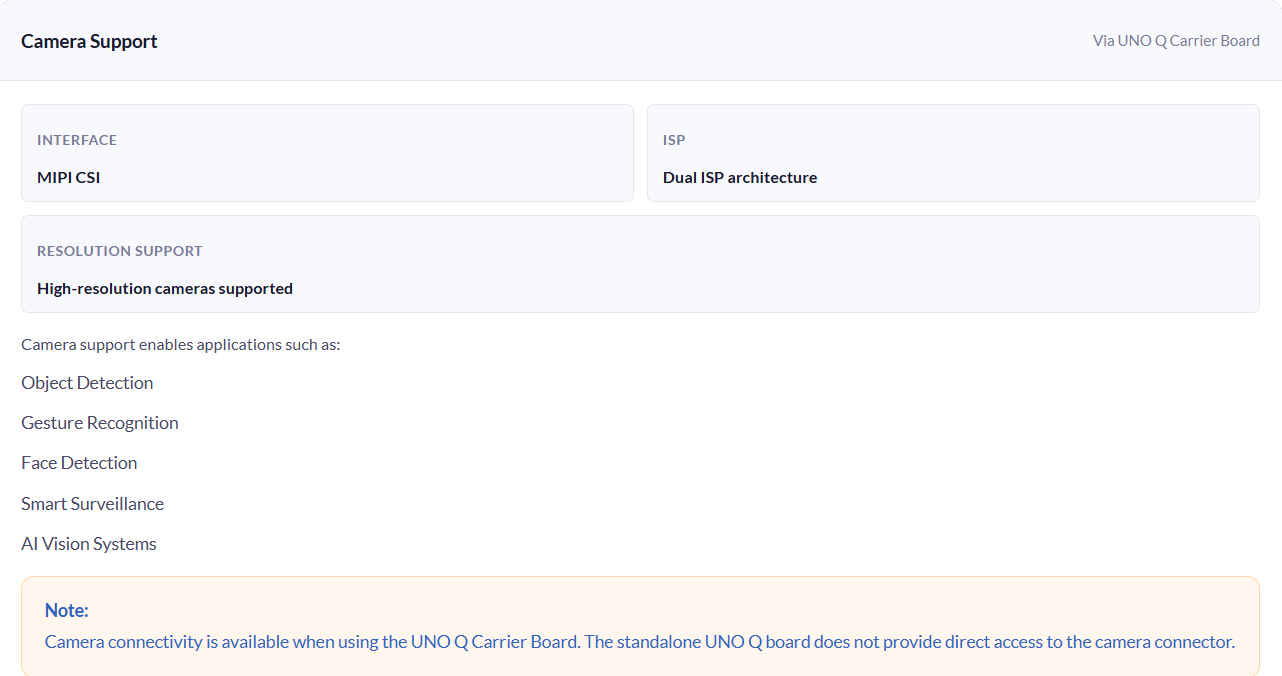
| Image Signal Processor (ISP) | Dual ISP |
| Audio Support | Audio Input and Output Support |
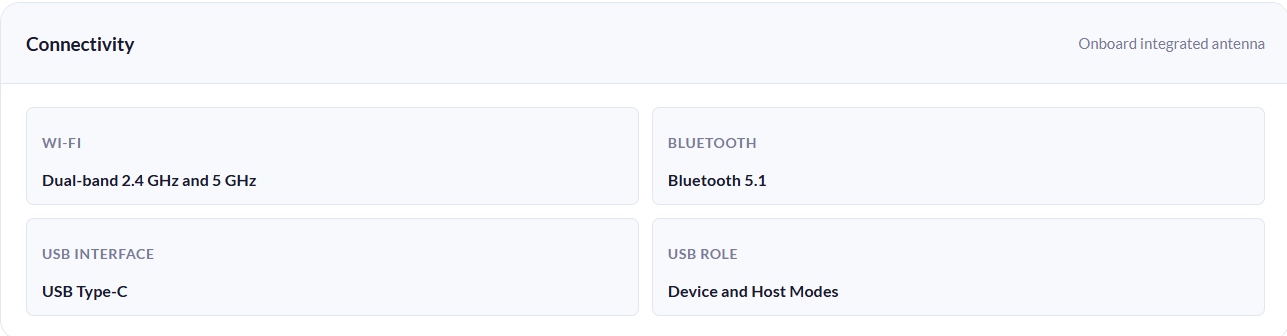
| USB Interface | USB Type-C |
| USB Role Support | Device and Host Modes |
| Linux-to-MCU Communication | Arduino Router Bridge / RPC |
| Development Environment | Arduino App Lab |
| Additional Development Support | Arduino IDE, Python |
| Containerization | Docker Support |
| Wireless Antenna | Onboard Integrated Antenna |
| Camera Expansion Interface | MIPI CSI |
| Display Expansion Interface | MIPI DSI |
| Debug Interface | JTAG |
| Power Input (USB-C) | 5V via USB-C |
| Power Input (VIN) | 7V–24V Recommended |
| Edge AI Support | Yes |
| Computer Vision Support | Yes |
| Industrial IoT Support | Yes |
| Robotics Support | Yes |
| Remote Access | SSH over Network |
| Storage Type | eMMC Flash Storage |
| System Architecture | Linux MPU + Real-Time MCU Hybrid Architecture |
| Communication Between Processors | Internal Bridge/RPC Layer |
3 Why is Arduino UNO Q Different?
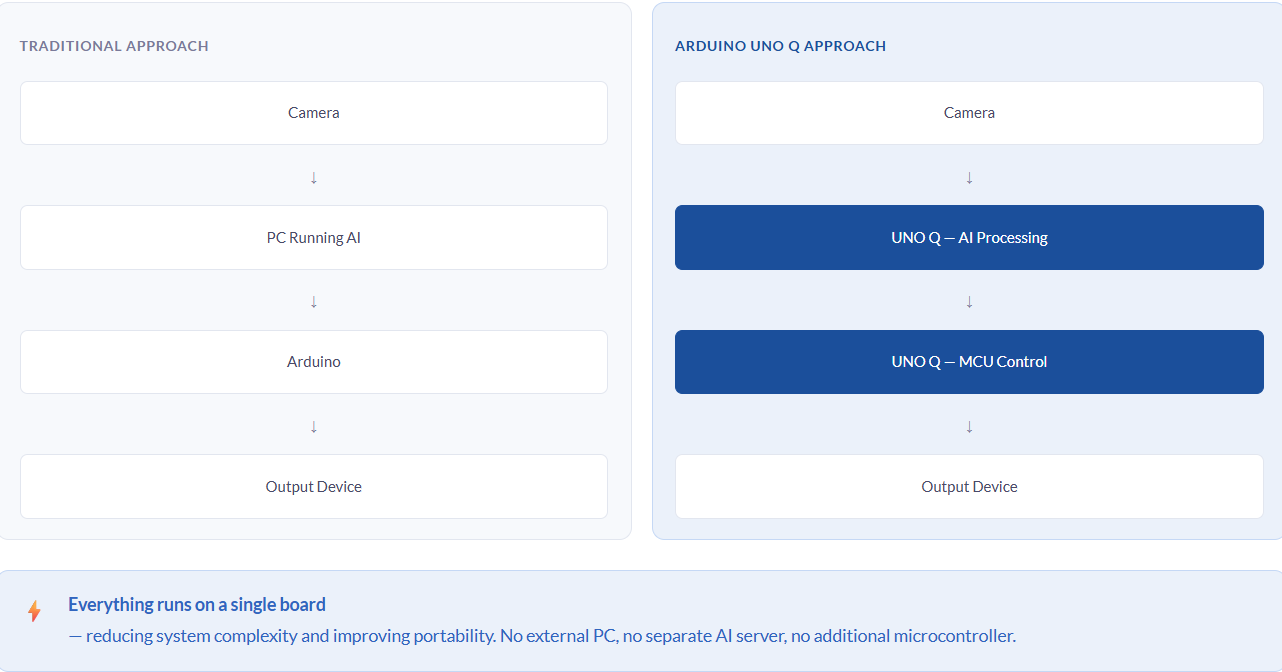
Traditional Arduino boards focus on controlling hardware and executing simple programs. However, modern embedded applications often require advanced processing capabilities.
Consider a gesture-controlled system:
4 Why Choose Arduino UNO Q?
The Arduino UNO Q is designed for developers who need more computing power than a traditional Linux SBC with the simplicity and flexibility of the Arduino ecosystem.
By combining a Linux-based processor and a real-time microcontroller on a single board, the UNO Q enables developers to build intelligent, connected, and high-performance embedded systems without requiring additional hardware.
Some key advantages of the UNO Q include:
- Running Linux applications and Arduino sketches simultaneouslySupporting AI and computer vision workloads directly on the boardWireless connectivity through Wi-Fi and BluetoothCamera and display support for standalone systemsIndustrial communication interfaces for real-world deploymentsDocker support for scalable application development
These features make the UNO Q an ideal platform for next-generation embedded and edge-computing applications.
5 Arduino UNO Q vs Traditional Single-Board Computers (SBCs)
At first glance, the Arduino UNO Q may appear similar to popular single-board computers (SBCs) such as a Raspberry Pi, as both platforms run Linux and support advanced applications. However, the UNO Q offers a unique advantage by combining a Linux processor and a real-time microcontroller on a single board.
| Feature | Traditional SBC | Arduino UNO Q |
|---|---|---|
| Linux Operating System | ✓ | ✓ |
| High-Performance Processing | ✓ | ✓ |
| Real-Time Microcontroller | ✗ | ✓ |
| Arduino Sketch Support | Limited | ✓ |
| Direct Hardware Control | Moderate | Excellent |
| AI & Computer Vision Applications | ✓ | ✓ |
| Industrial Interfaces | Depends on Board | ✓ |
| Linux and MCU Integration | Requires Additional Hardware | Built-In |
| Edge AI Development | ✓ | ✓ |
A traditional SBC excels at running Linux applications, web servers, databases, and AI workloads. However, tasks requiring precise timing, sensor acquisition, motor control, or real-time decision-making often require an additional microcontroller.
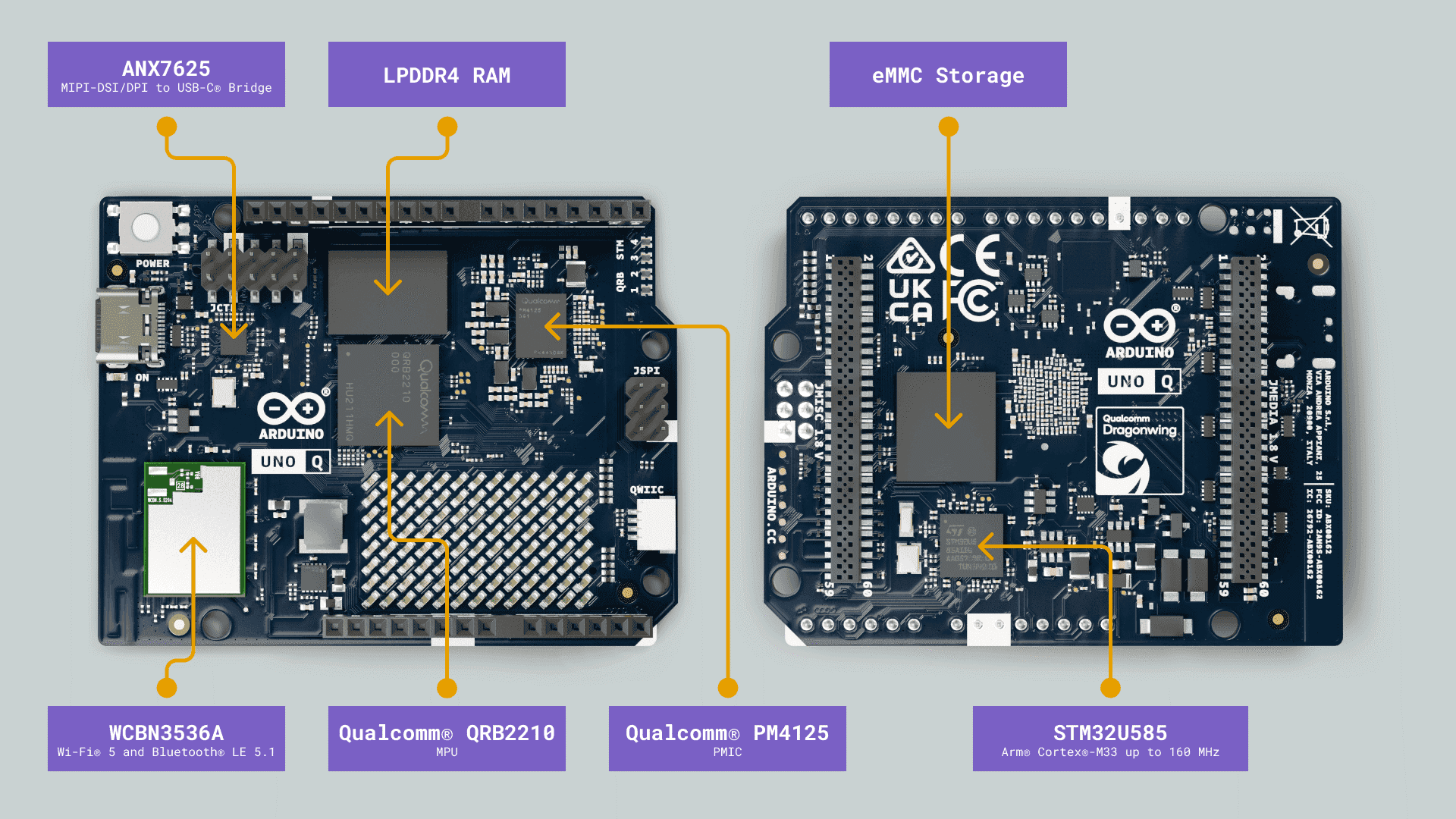
With the Arduino UNO Q, both capabilities are available on a single platform. The Qualcomm QRB2210 processor handles Linux applications, networking, and AI workloads, while the STM32U585 microcontroller manages real-time hardware operations and Arduino sketches.
This hybrid architecture eliminates the need for separate SBC and microcontroller boards, simplifying development and reducing system complexity.
For developers building robotics, industrial IoT systems, smart devices, edge AI applications, or computer vision projects, the Arduino UNO Q provides the advantages of both worlds in a single solution.
6 Who Should Use Arduino UNO Q?
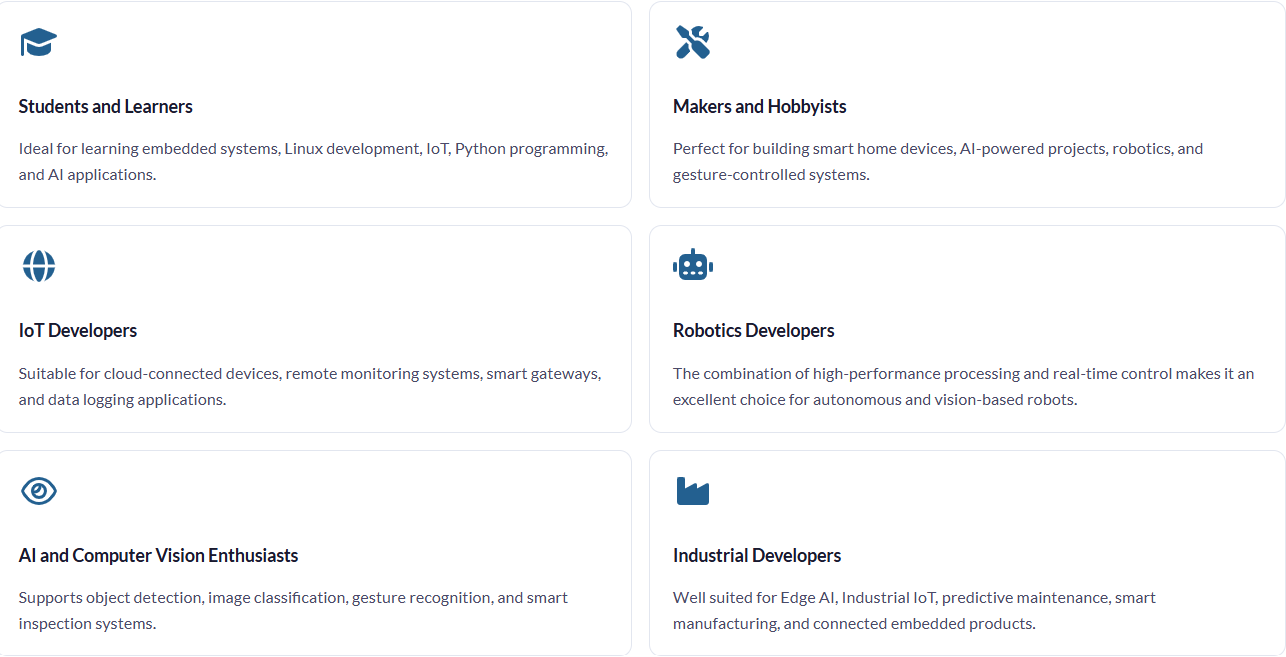
The Arduino UNO Q is designed for anyone looking to combine the power of Linux computing with real-time hardware control on a single platform.
Bottom line:
Whether you're learning, prototyping, or developing production-ready solutions, the Arduino UNO Q provides a powerful platform for modern embedded applications.